
How to Build an Amazon Case Management System That Actually Scales
9/13/2026
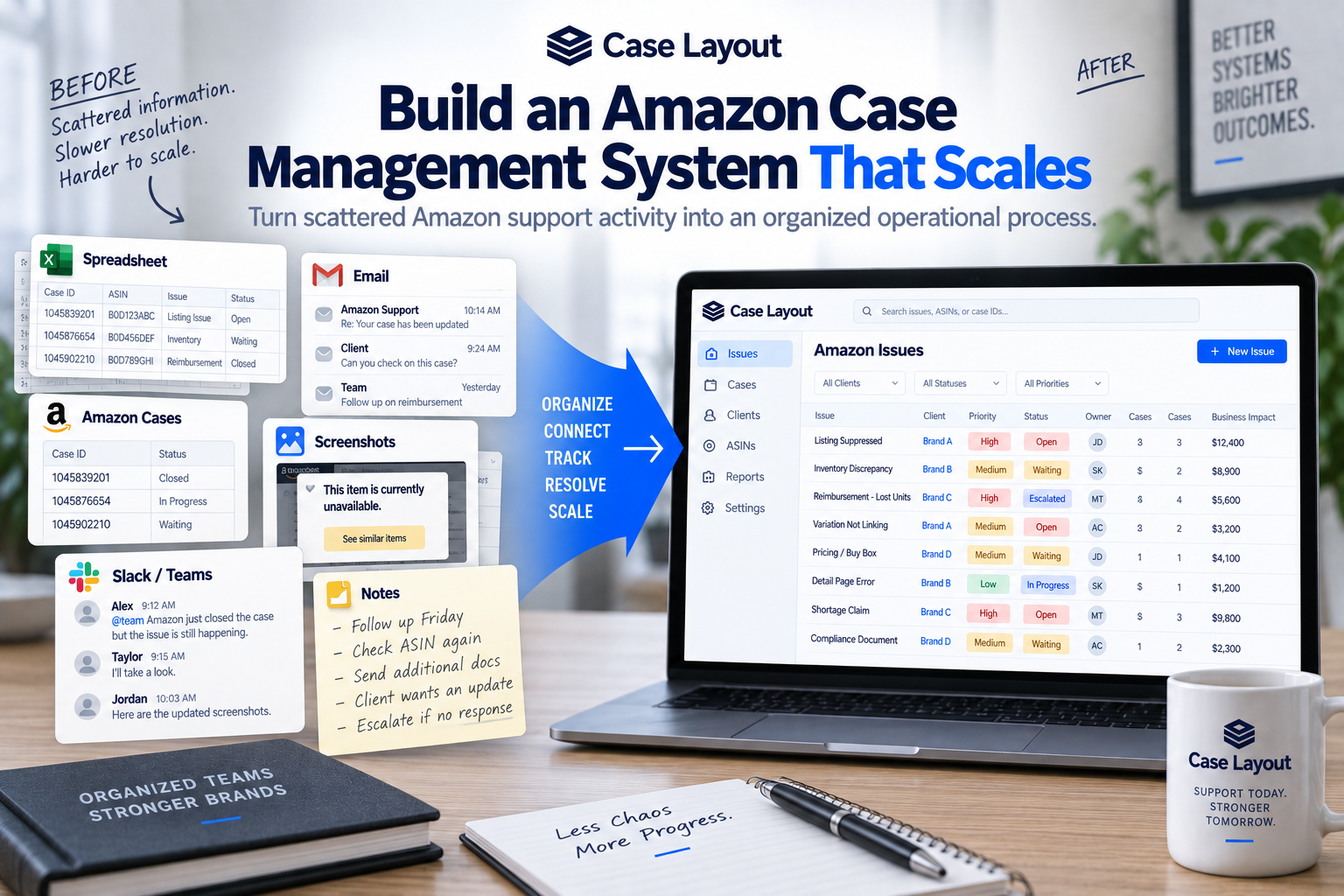
Most Amazon case management systems aren't intentionally designed.
They evolve.
Someone creates a spreadsheet to track support cases. Another employee keeps screenshots in a shared folder. Important updates are discussed over email or Slack. Amazon's case history contains the actual support conversations. Finance keeps reimbursement information somewhere else.
For a while, the system works.
Then the Amazon business grows.
More products create more issues. More employees become involved. One problem generates multiple support cases. Old problems return. Financial disputes become harder to track. Leadership starts asking for updates. Someone leaves the company and takes years of Amazon account knowledge with them.
Eventually, the business realizes it doesn't really have an Amazon case management system.
It has information about Amazon problems scattered across several different places.
Building a scalable Amazon case management process isn't about creating a more complicated spreadsheet. It's about deciding how your organization will manage an Amazon business problem from the moment it's discovered until the final outcome is verified.
Start With the Issue, Not the Case
This is the foundation of a scalable system.
Amazon naturally organizes support around case IDs.
Your business should organize its internal process around issues.
Imagine an important ASIN becomes suppressed.
Your team opens Case #1.
Amazon responds but doesn't fix the problem. The case closes.
Your team opens Case #2.
That case gets transferred and eventually closes.
Someone escalates the problem through Case #3.
If your internal system is organized around Amazon cases, you now have three records.
But your business never had three problems.
It had one:
ASIN B0XXXXXX — Listing Suppressed
That's the record your team should manage.
The three Amazon case IDs belong underneath it as part of the issue history.
This creates a structure that can handle both simple and complicated problems.
A simple issue may contain one Amazon case.
A difficult issue may contain five.
Either way, the business problem remains the primary record.
Define What an Issue Should Contain
Once the issue becomes the center of the system, decide what information your team actually needs to manage it.
You don't need to capture every possible data point.
You need enough information for someone unfamiliar with the problem to understand what happened and what needs to happen next.
A useful issue record might include:
- Issue title
- Issue category
- Affected ASINs or SKUs
- Date discovered
- Assigned owner
- Priority
- Business impact
- Related Amazon case IDs
- Current status
- Next action
- Follow-up date
- Supporting documentation
- Screenshots
- Internal notes
- Escalation history
- Final resolution
- Date resolved
This becomes the operational record for the problem.
If someone asks what's happening with the issue, your team shouldn't have to reconstruct the answer from several different systems.
Create Consistent Issue Categories
As your Amazon support history grows, categories become increasingly important.
Without consistent categories, you eventually end up with hundreds of issues that are difficult to analyze.
Your organization might use categories such as:
- Listing suppression
- Variation problem
- Inventory discrepancy
- Shortage
- Reimbursement
- Financial dispute
- Pricing issue
- Buy Box issue
- Compliance
- Detail-page problem
- Brand Registry
- Account health
- Other
Your exact categories should reflect the problems your business actually encounters.
Don't create 50 categories just because you can.
Start with a manageable taxonomy and expand it when a real need appears.
Consistency is more important than complexity.
Assign One Primary Owner
Every significant issue should have one person who owns the outcome.
Several people can participate.
A catalog issue might involve marketing. An inventory problem might require operations. A reimbursement could involve finance. An agency might communicate with Amazon on behalf of the brand.
But one person should ultimately be responsible for moving the issue toward resolution.
The owner should be able to answer:
- What happened?
- Why does it matter?
- Which Amazon cases are related?
- What has already been attempted?
- What are we waiting for?
- What needs to happen next?
- When should we follow up?
- When should we escalate?
- What qualifies this issue as resolved?
Without clear ownership, unresolved Amazon problems can quietly sit because everyone assumes someone else is handling them.
Build a Status Workflow Around Your Business
Amazon has its own case statuses.
Your organization doesn't need to copy them.
Remember that Amazon's support case and your business issue are different records.
A practical internal workflow might look like:
- Identified — The issue has been discovered.
- Investigating — Your team is gathering information and determining the problem.
- Submitted to Amazon — A support case has been opened.
- Waiting on Amazon — Amazon needs to respond or take action.
- Internal Action Required — Your team needs to complete something.
- Escalated — The standard support process hasn't resolved the problem.
- Verification Required — Amazon says the issue has been corrected.
- Resolved — Your team has independently confirmed the business outcome.
The exact names aren't important.
The workflow is.
Someone looking at the issue should immediately understand where it is in the resolution process.
Every Open Issue Needs a Next Action
This may be one of the simplest improvements you can make.
Every unresolved issue should answer:
What happens next?
A status such as Waiting on Amazon describes the current situation.
It doesn't tell anyone what to do.
The next action might be:
- Follow up with Amazon tomorrow.
- Upload requested documentation.
- Ask finance for an invoice.
- Check whether the ASIN is live.
- Confirm inventory quantities.
- Escalate if no response is received by Friday.
- Verify that the reimbursement was received.
- Review the issue with the catalog team.
This turns your case tracker into an operational workflow.
Instead of recording what happened yesterday, the system helps your team understand what needs to happen tomorrow.
Every Waiting Issue Needs a Follow-Up Date
If an issue is waiting on Amazon, assign a date when your team should review it again.
Don't rely on memory.
This becomes increasingly important as case volume grows.
An employee managing three issues may remember to check all of them.
An employee managing 30 probably won't.
The appropriate follow-up timing should depend on business impact.
A suppressed top-selling ASIN may require frequent attention.
A minor catalog correction can probably wait longer.
The important thing is that the next review date is intentional.
Waiting on Amazon shouldn't mean waiting indefinitely.
Track Business Impact
A scalable system also needs a way to distinguish important problems from routine ones.
Imagine your team currently has 25 unresolved Amazon issues.
Without additional context, they can appear equally important.
But perhaps one involves a suppressed ASIN generating thousands of dollars in daily sales.
Another involves $20,000 in disputed funds.
Another affects 2,500 units of inventory.
Several others are minor catalog corrections.
Those issues shouldn't necessarily receive the same priority.
Depending on the problem, consider tracking:
- Estimated revenue exposure
- Financial amount in dispute
- Inventory units affected
- Inventory value
- Number of ASINs affected
- Customer impact
- Compliance or account risk
- Strategic importance
- Number of days unresolved
You don't need perfect financial calculations.
Even approximate business-impact information can dramatically improve prioritization.
Separate Priority From Status
Status tells you where the issue is in the process.
Priority tells you how much attention it deserves.
Those are different things.
Two issues might both be waiting on Amazon.
One could be low priority.
The other could be critical.
A simple priority structure might be:
- Low
- Medium
- High
- Critical
Your organization should define what those levels mean.
For example, a critical issue might involve significant revenue loss, account risk, or a major financial exposure.
This helps employees determine which problems should be addressed first instead of simply working through issues in the order they appear.
Connect Every Related Amazon Case
One of the most important requirements of a scalable system is the ability to connect multiple Amazon cases to one issue.
Imagine the history looks like this:
Issue: ASIN B0XXXXXX — Listing Suppressed
Case #1 — Opened September 3 — Closed without resolution
Case #2 — Opened September 5 — Documentation submitted
Case #3 — Opened September 7 — Escalated
Case #4 — Opened September 9 — Amazon reports correction
Now someone can understand the complete support history in one place.
Without that structure, those four cases may exist as separate spreadsheet rows, forcing employees to figure out how they're connected.
The more complicated your Amazon business becomes, the more valuable those relationships become.
Keep Documentation With the Issue
Screenshots and supporting documents are often essential to Amazon support.
They also tend to become scattered.
One screenshot lives on an employee's desktop.
Another gets posted in Slack.
A PDF is attached to an email.
A flat file is saved in a shared folder.
Someone eventually asks:
"Where is the file we sent Amazon last time?"
Important supporting information should be connected to the issue whenever possible.
That could include:
- Screenshots
- Invoices
- Shipment records
- Flat files
- Product documentation
- Amazon responses
- Financial records
- Internal analysis
The goal isn't to duplicate every file your company owns.
It's to make sure someone reviewing the issue can find the information necessary to understand its history.
Preserve Internal Notes
Amazon's support history tells you what happened between your company and Amazon.
It doesn't necessarily tell you what happened inside your company.
That context can be equally important.
Maybe operations discovered that the shipment quantity was incorrect.
Perhaps finance identified a payment discrepancy.
Maybe your catalog manager noticed the same problem happened six months ago.
An agency partner might have recommended a different escalation path.
Internal notes preserve the thinking behind the actions your team took.
Without them, future employees may see what happened without understanding why.
Define Your Escalation Rules
A scalable system shouldn't depend entirely on an employee deciding:
"I've had enough. I'm escalating this."
Create basic escalation guidelines.
An issue may deserve escalation when:
- A high-revenue product remains unavailable.
- Significant inventory is affected.
- A meaningful financial amount is at risk.
- Amazon repeatedly provides responses that don't address the problem.
- A case closes without resolution.
- Multiple support attempts have failed.
- The issue exceeds an acceptable resolution timeframe.
- The problem creates customer, compliance, or account risk.
The appropriate threshold will vary by issue.
The important part is having a process.
Add a Verification Stage Before Resolution
This is one of the most important controls in the system.
Amazon says the problem is fixed.
Don't immediately mark the issue resolved.
Move it to:
Verification Required
Then verify the actual business outcome.
For a listing suppression, confirm the ASIN is purchasable.
For a variation problem, check the relationship.
For an inventory discrepancy, confirm the quantities.
For a reimbursement, verify the money was received.
For a catalog correction, confirm the change is visible.
Only after that should the issue become Resolved.
This prevents Amazon's case status from becoming your company's definition of success.
Make the History Searchable
A scalable Amazon case management system shouldn't only help with today's problems.
It should make yesterday's problems useful.
Imagine an ASIN develops a variation issue.
Before opening a new Amazon case, your employee searches the ASIN and discovers that the same problem occurred eight months ago.
They can immediately see:
- What happened
- Which Amazon cases were opened
- What Amazon requested
- Which documentation was submitted
- Which approaches failed
- How the issue was escalated
- What ultimately fixed it
Your organization has already paid for that knowledge through employee time and experience.
A searchable history allows you to reuse it.
Build Institutional Knowledge
This becomes especially important when employees change roles.
The person managing Amazon today may not be managing it three years from now.
Employees leave.
Agencies change.
Teams reorganize.
Responsibilities move.
If years of Amazon account history exist primarily inside individual employees' memories, every transition creates operational risk.
A structured case-management system allows that knowledge to remain with the organization.
The next employee doesn't need to know who remembers the issue.
They can search for it.
Give Leadership a Different View
The employee managing an issue needs details.
Leadership usually doesn't.
Leadership needs visibility into business risk and performance.
A scalable system should eventually help answer questions such as:
- How many significant Amazon issues are unresolved?
- Which issues have the greatest business impact?
- Which issues have been open longest?
- How much money is currently in dispute?
- Which products are affected?
- Which issues have been escalated?
- Who owns the highest-priority problems?
- How quickly are issues being resolved?
- Which problems keep returning?
This turns Amazon support from an administrative black box into a visible operational function.
Measure Outcomes, Not Just Activity
Once your process is structured, you can begin measuring whether it's actually improving.
Useful metrics might include:
- Verified resolution rate
- Average time to resolution
- Average number of Amazon cases per issue
- Escalation rate
- Recurring issue rate
- Financial recovery
- High-priority issues resolved
- Overdue follow-ups
- Issue age
These metrics tell you much more than the number of Amazon cases opened.
Opening cases is activity.
Resolving business problems is performance.
Use the Data to Prevent Future Problems
This is where a mature Amazon case management system becomes especially valuable.
Eventually, the goal shouldn't only be resolving issues faster.
It should be identifying why those issues happen.
Suppose your historical data shows that one group of ASINs repeatedly experiences listing suppressions.
That's worth investigating.
Maybe variation problems increased after a particular catalog change.
Perhaps the same inventory discrepancy appears every quarter.
Maybe one financial issue consistently requires the same escalation process.
Once patterns become visible, your team can start looking for root causes.
The best Amazon issue to resolve is eventually the one you prevent from happening again.
Know When You've Outgrown the Spreadsheet
There is nothing wrong with managing Amazon cases in a spreadsheet.
For many smaller businesses, it's perfectly adequate.
The tipping point usually appears when several things start happening:
- Multiple employees are managing Amazon support.
- One issue frequently generates several Amazon cases.
- Employees struggle to understand ownership.
- Follow-ups get missed.
- Documentation is scattered.
- Financial outcomes are difficult to verify.
- Historical problems are hard to find.
- Leadership lacks visibility.
- Recurring problems aren't easily identified.
- Reporting requires significant manual work.
At that point, the organization hasn't failed at spreadsheet management.
The business has simply outgrown a flat case tracker.
Build the System Around the Outcome
A scalable Amazon case management system doesn't need to be complicated.
It needs to answer a relatively simple set of questions:
What's the problem?
Who owns it?
What's the business impact?
Which Amazon cases are related?
What has already happened?
What needs to happen next?
When should we follow up?
Does it need to be escalated?
Has the business problem actually been resolved?
If your team can answer those questions quickly, you have the foundation of a strong Amazon case management process.
If answering them requires opening Amazon, checking a spreadsheet, searching Slack, digging through email, finding screenshots, and asking several employees what they remember, there is an opportunity to improve the system.
From Amazon Case Tracking to Issue Management
This is the problem Case Layout was built to solve.
After years of managing e-commerce and marketplace businesses, I kept seeing Amazon support information become fragmented. The Amazon case existed in one place. Internal notes existed somewhere else. Screenshots and documentation were scattered. Multiple cases could relate to the same problem, and a case could be marked closed even though the underlying business issue wasn't actually fixed.
Case Layout organizes the process around the issue.
Your team can connect related Amazon cases, assign ownership, preserve documentation and history, track business impact, manage follow-ups and escalations, and verify the final resolution.
The goal isn't to create another place for your team to copy Amazon case numbers.
It's to create a system for managing the business problems behind those cases.
Because as your Amazon business grows, your case-management process needs to grow with it.
The system that worked when you had 10 cases shouldn't become the system holding you back when you have 1,000.