
How to Track Amazon Support Cases Across Your Team
9/13/2026
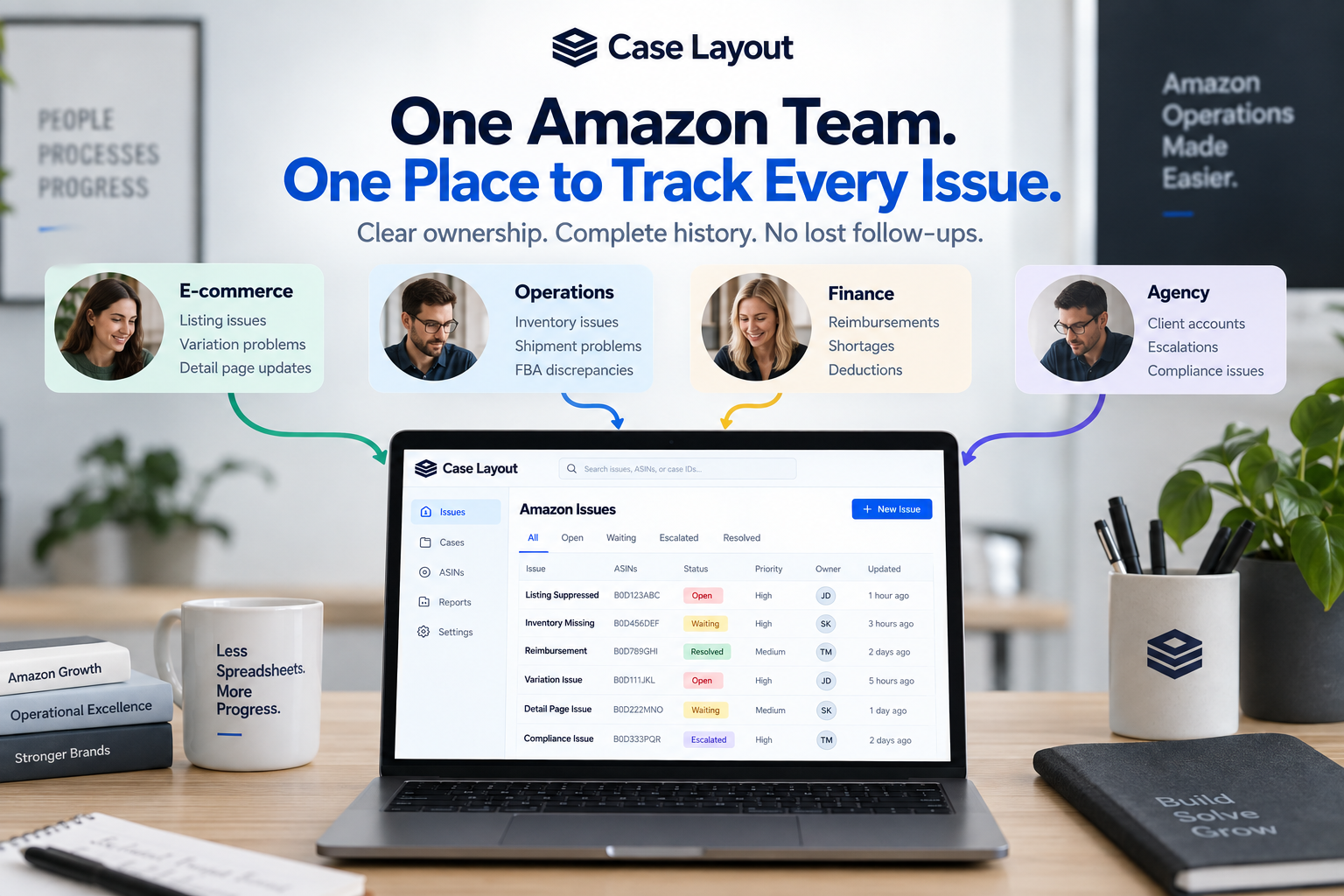
Managing Amazon support is relatively straightforward when one person owns the entire account. That person knows which cases are important, which ones are waiting on Amazon, what needs to be escalated, and which problems were supposedly fixed yesterday.
As soon as multiple people become involved, things get more complicated.
A catalog manager may open a case about an ASIN. Someone in operations may be investigating an inventory problem related to the same product. Finance may be working on a shortage or reimbursement. An outside agency may also be communicating with Amazon. Meanwhile, leadership wants to know whether the issue has been resolved.
Suddenly, a simple question becomes surprisingly difficult to answer:
Who actually owns this Amazon issue?
The solution isn't simply better communication. Amazon teams need a consistent process for assigning ownership, connecting related cases, documenting what has happened, tracking the next action, and verifying the final business outcome.
Start With the Business Issue, Not the Amazon Case
One of the easiest mistakes to make is using the Amazon case ID as the starting point for your internal tracking.
The case number is important, but it doesn't necessarily represent the complete problem.
Imagine one of your top-selling ASINs becomes suppressed. Your catalog manager opens a support case. Amazon responds but doesn't fix the problem, and the case eventually closes. Another employee opens a second case. That case gets transferred to another Amazon team. Eventually, a third case is created as part of an escalation.
Your team now has three Amazon case IDs.
But your company still has one business issue: the ASIN is suppressed and customers can't purchase it.
Your internal tracking should reflect that reality.
Instead of creating three disconnected records, create one issue and connect the related Amazon cases to it. This gives everyone on the team a common place to understand the problem regardless of how many support interactions are required to solve it.
Every Amazon Issue Needs a Clear Owner
Every significant Amazon issue should have one primary owner.
That doesn't mean only one person can work on it. In fact, many Amazon problems require input from several departments.
A listing problem may require information from marketing. An inventory discrepancy may involve operations. A reimbursement may require finance. A compliance issue could require documentation from legal or regulatory teams.
Several people can contribute, but one person should ultimately be responsible for moving the issue toward resolution.
Without clear ownership, teams can fall into a dangerous pattern where everyone assumes someone else is handling the problem.
Consider a case that Amazon hasn't responded to in several days. The catalog manager assumes the account manager is following up. The account manager assumes the person who opened the case is responsible. Operations knows the issue still exists but doesn't own the Amazon relationship.
Nobody intentionally ignored the problem.
There simply wasn't a clear owner.
Assigning one person to every issue eliminates much of that ambiguity.
Ownership Should Mean More Than a Name in a Spreadsheet
Many teams already have an "Owner" column in their Amazon case spreadsheet.
That's a good start, but ownership should mean more than putting someone's initials next to a case.
The owner should be able to answer several basic questions:
- What is the underlying business problem?
- What is the current status?
- Which Amazon cases are connected to the issue?
- What has already been attempted?
- What are we waiting for?
- What needs to happen next?
- When should we follow up?
- What would qualify this issue as resolved?
If nobody can answer those questions, the issue may technically have an owner without actually being managed.
Track the Next Action, Not Just the Status
One of the most useful changes an Amazon team can make is tracking the next action for every unresolved issue.
Status alone often isn't enough.
Imagine an issue is marked:
Waiting on Amazon
That tells you where things stand, but it doesn't tell you what happens next.
Should someone check the case tomorrow?
Should the issue be escalated if Amazon doesn't respond within two business days?
Does Amazon need additional documentation?
Does someone internally need to complete a task before the case can continue?
A stronger system combines status with a clear next action.
For example:
- Follow up with Amazon tomorrow.
- Provide requested product documentation.
- Confirm inventory quantities with operations.
- Escalate if no response is received by Friday.
- Check whether the ASIN is purchasable.
- Verify that the reimbursement was received.
- Review the issue with finance.
- Open a new case and reference the previous case history.
This turns Amazon case tracking from passive documentation into active workflow management.
Give Every Issue a Follow-Up Date
A related improvement is assigning a follow-up date to unresolved issues.
"Waiting on Amazon" shouldn't mean "wait indefinitely."
When your team responds to Amazon, decide when the issue should be reviewed again.
The appropriate timing will depend on the business impact. A suppressed high-volume ASIN may require much faster attention than a low-priority content correction.
The exact timeline is less important than having one.
If there is no follow-up date, the team is relying on someone remembering to check the case.
That becomes increasingly unreliable as case volume grows.
Create Internal Statuses That Reflect Your Workflow
Amazon has its own case statuses, but your organization doesn't have to use those statuses as its internal workflow.
Remember, Amazon's case and your business issue are not necessarily the same thing.
Your team might use statuses such as:
- Identified — The problem has been discovered but hasn't been fully investigated.
- Investigating — Your team is gathering information and determining the cause.
- Submitted to Amazon — A support case has been opened.
- Waiting on Amazon — Amazon needs to respond or take action.
- Internal Action Required — Someone on your team needs to provide information or complete a task.
- Escalated — The standard support process hasn't resolved the issue.
- Verification Required — Amazon says the issue has been corrected, but your team still needs to confirm it.
- Resolved — The underlying business problem has been independently verified as fixed.
This creates a workflow based on what your business actually needs rather than simply mirroring the status of an Amazon support case.
Keep the Complete History Together
Amazon problems can last days, weeks, or occasionally much longer.
As more people become involved, maintaining a clear history becomes increasingly important.
Someone joining an issue halfway through should be able to understand what happened without scheduling a meeting with the person who originally opened the case.
Ideally, they should be able to quickly determine:
- What originally happened
- Which products are affected
- When the problem started
- Which Amazon cases have been opened
- What Amazon has said
- What your team has already tried
- Which documents have been submitted
- Whether the issue has been escalated
- Who currently owns the issue
- What needs to happen next
If that information is scattered across Amazon, spreadsheets, email, Slack, Teams, screenshots, and individual employee notes, transferring ownership becomes unnecessarily difficult.
A centralized history allows someone else to pick up the issue without starting over.
Separate Amazon's Case Status From Your Issue Status
This is particularly important when Amazon closes a case.
Imagine Amazon responds that a listing issue has been corrected and closes the support case.
Your internal issue should not automatically become Resolved.
Instead, it should move to something like Verification Required.
The owner can then check whether the expected business outcome actually occurred.
If the listing was suppressed, is it now purchasable?
If a variation was broken, is the relationship displaying correctly?
If Amazon approved a reimbursement, did the money actually arrive?
If inventory was unavailable, is it available again?
Only after the team confirms the result should the issue be considered resolved.
Amazon closing a case tells you what happened to the support interaction. It doesn't necessarily tell you what happened to the business problem.
Prioritize Issues Based on Business Impact
As Amazon case volume grows, another problem appears: everything starts looking equally important.
A spreadsheet may contain 30 open cases, but those cases can have dramatically different business consequences.
A minor detail-page correction on a low-volume product isn't equivalent to a suppressed top-selling ASIN.
A $50 reimbursement isn't equivalent to a five-figure financial dispute.
Teams should consider assigning priorities based on factors such as:
- Revenue exposure
- Financial amount involved
- Number of affected ASINs
- Inventory impact
- Customer impact
- Account or compliance risk
- Length of time unresolved
- Strategic importance of the affected product
This helps employees understand what deserves attention first and gives leadership a clearer picture of the Amazon problems affecting the business.
Make Leadership Visibility Easier
Amazon support work can become nearly invisible to leadership.
An e-commerce manager may spend hours working through listing problems, inventory issues, reimbursements, and escalations, but leadership may only hear about the largest problems.
A structured case-management process can provide a much clearer view.
Instead of asking employees for individual updates, leadership should be able to understand questions such as:
- How many significant Amazon issues are currently unresolved?
- Which issues have the greatest business impact?
- How long have they been open?
- Who owns each issue?
- Which issues are waiting on Amazon?
- Which issues require internal action?
- Which problems have been escalated?
- Which issues keep recurring?
This doesn't mean leadership needs to manage individual Amazon cases.
It means the organization should be able to understand its Amazon operational risk without manually assembling a report every time someone asks.
Agencies and External Partners Need Clear Ownership Too
The ownership problem becomes even more important when agencies or external partners are involved.
A brand may have internal e-commerce employees while also working with an Amazon agency, broker, catalog partner, or other service provider.
Without a centralized process, the same problem can easily be investigated by multiple people without anyone realizing it.
Or the opposite can happen: everyone assumes the agency is handling the issue while the agency assumes the brand owns it.
Every issue should make it clear who owns the outcome, even when several organizations are participating.
This creates accountability without preventing collaboration.
Preserve Knowledge When Employees Change Roles
Amazon accounts accumulate years of operational history.
The employee managing the account today won't necessarily be the employee managing it two years from now.
People get promoted. Responsibilities change. Agencies change. Employees leave.
If Amazon case history lives primarily inside one person's memory, the organization loses valuable knowledge every time responsibilities change.
A structured history creates continuity.
A new employee should be able to find a previous issue and understand what happened without asking:
"Does anyone remember how we fixed this last time?"
That becomes especially valuable when problems repeat.
Instead of rediscovering the solution, the team can see the previous cases, documentation, escalation history, and final resolution.
Build a System, Not Just a Case List
The goal of Amazon case management isn't to create the world's most organized list of case IDs.
The goal is to create a repeatable system for getting Amazon business problems resolved.
A strong process should make it easy to answer:
- What's wrong?
- Who owns it?
- How important is it?
- Which Amazon cases are related?
- What has already happened?
- What are we waiting for?
- What needs to happen next?
- When should we follow up?
- Has the business problem actually been fixed?
If your team can answer those questions quickly, Amazon support becomes much easier to manage.
If answering them requires searching Seller Central or Vendor Central, opening a spreadsheet, checking Slack, searching email, and finding the employee who remembers what happened, the process has room to improve.
Bringing Your Amazon Team Into One Place
This is one of the reasons we built Case Layout.
As Amazon businesses grow, case management becomes less about storing support case numbers and more about coordinating people around business issues.
Case Layout gives teams a centralized place to organize the underlying issue, connect related Amazon cases, assign ownership, preserve the complete history, track next actions, and verify the final resolution.
The goal isn't to add another layer of administration to managing Amazon.
It's the opposite.
When someone asks, "What's happening with this Amazon issue?" your team should be able to find the answer without figuring out who happens to know.